1 · Entry Points
How real people arrive: search queries ("indian visa online"), embassy links, agent referrals, or official QR codes.
UX Research
The first website a foreigner meets on the way to India is Indian Visa Online. I audited it, followed a tourist through it, and redesigned where it loses people.
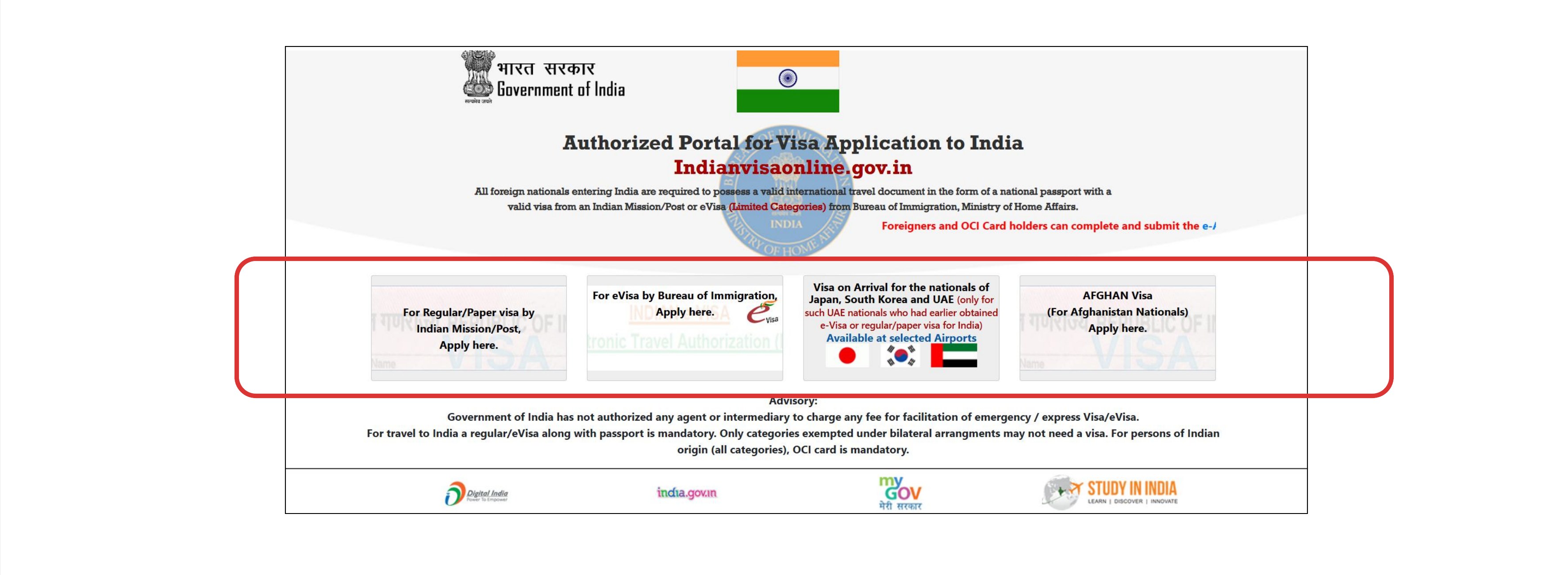
Before a foreigner sees India, they see indianvisaonline.gov.in.
For most visitors, the first channel into India is not an airport or a hotel. It is this website. The first site foreigners meet on their way to India is Indian Visa Online, so I decided to audit it: if this is the front door of the country, how does it feel to walk through it?
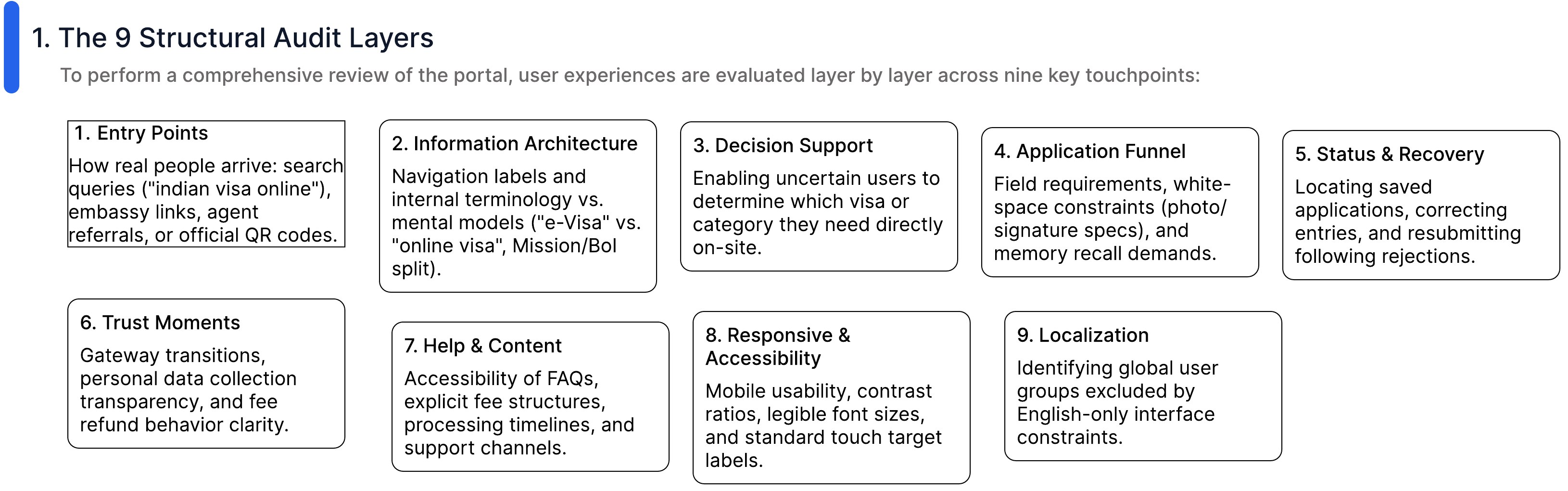
Nine layers, from the search that brings someone here to the language they can read.
To review the portal properly, I evaluated the experience layer by layer across nine touchpoints.
How real people arrive: search queries ("indian visa online"), embassy links, agent referrals, or official QR codes.
Navigation labels and internal terminology vs. mental models ("e-Visa" vs. "online visa", Mission/BoI split).
Enabling uncertain users to determine which visa or category they need directly on-site.
Field requirements, white-space constraints (photo/signature specs), and memory recall demands.
Locating saved applications, correcting entries, and resubmitting following rejections.
Gateway transitions, personal data collection transparency, and fee refund behavior clarity.
Accessibility of FAQs, explicit fee structures, processing timelines, and support channels.
Mobile usability, contrast ratios, legible font sizes, and standard touch target labels.
Identifying global user groups excluded by English-only interface constraints.
A tourist on a two-week trip, an anxious relative, and an agent they should not trust.
The same door serves very different people. I grouped them into primary applicants and the people who act on their behalf.
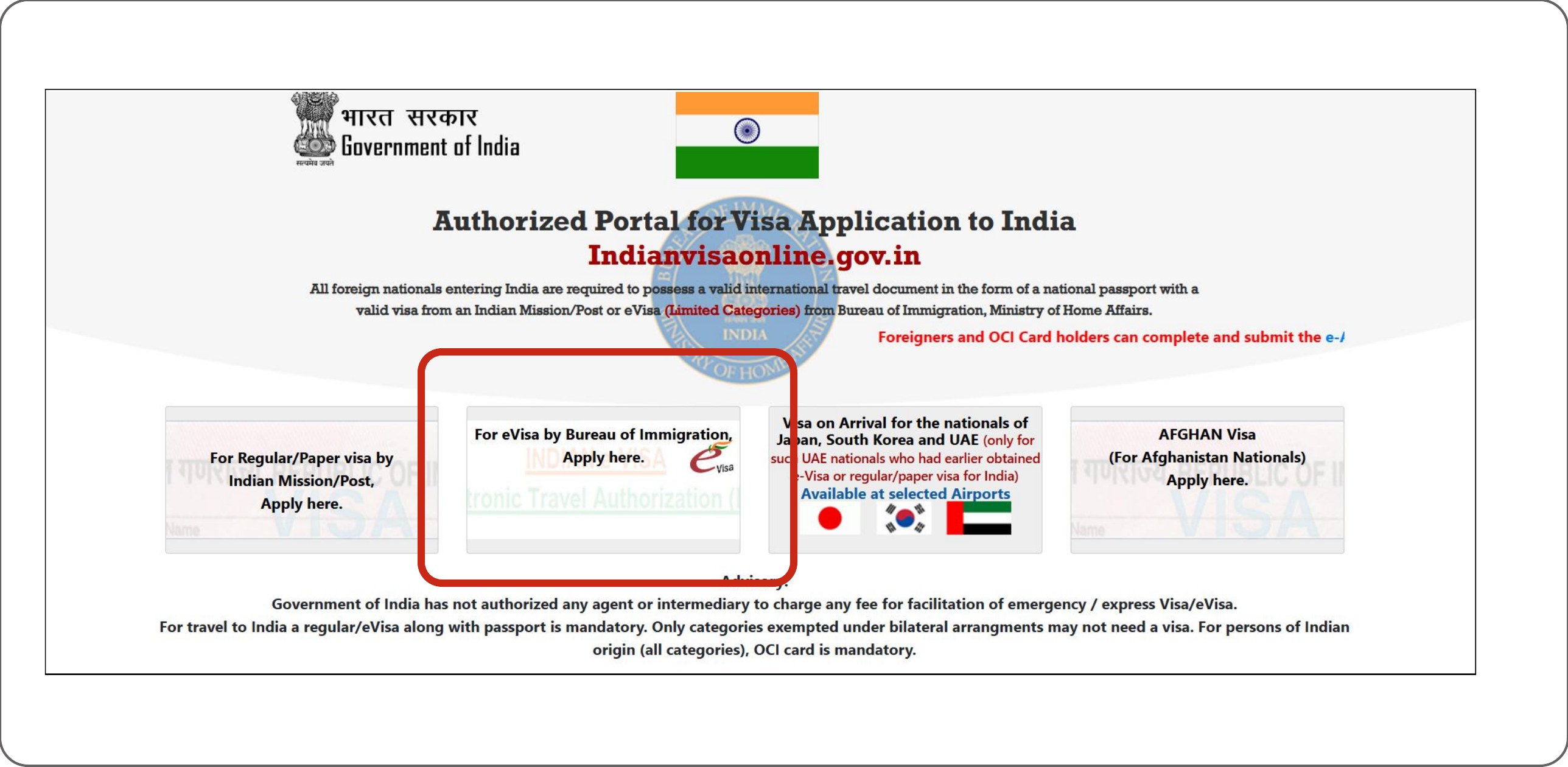
The home page asks people to pick a door before it tells them what the doors are.
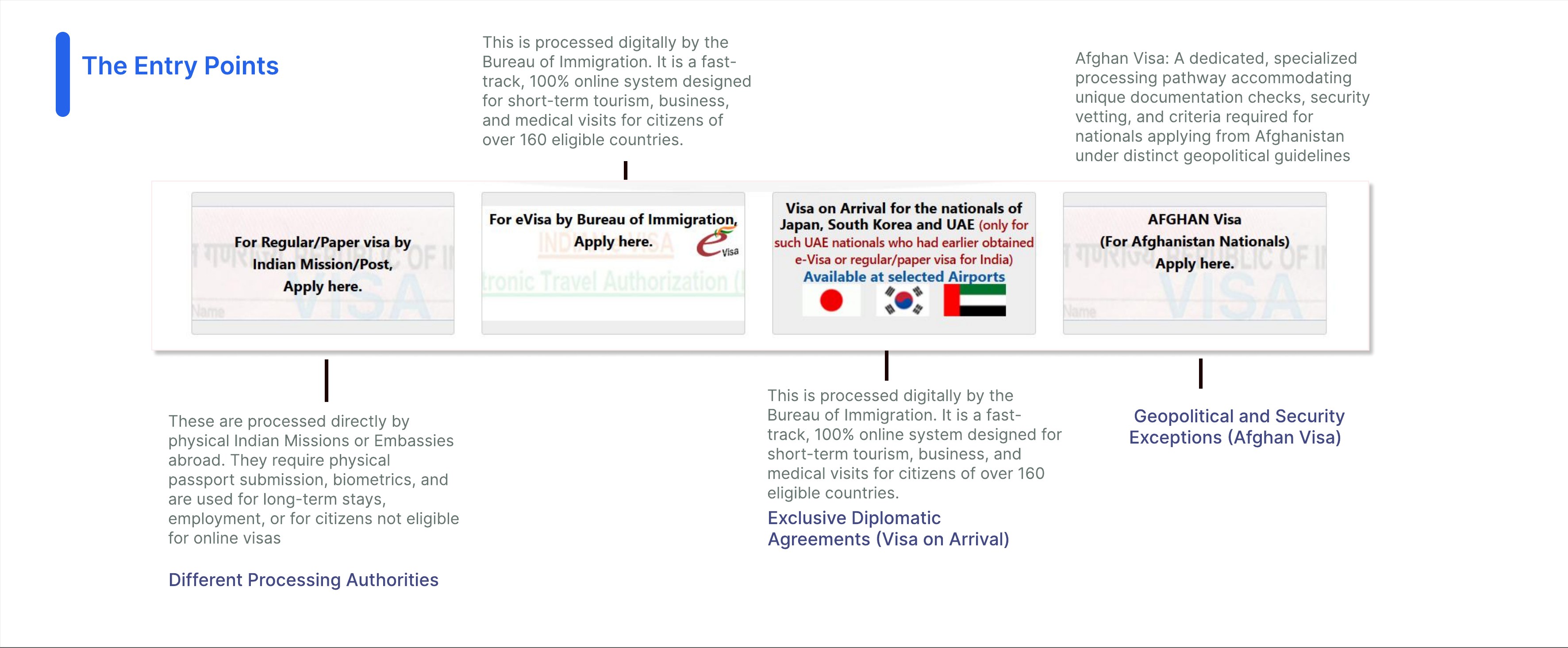
The home page offers four entry points, each handled by a different processing authority. Visitors are expected to know which one is theirs.
Processed directly by physical Indian Missions or Embassies abroad. They require physical passport submission and biometrics, and are used for long-term stays, employment, or for citizens not eligible for online visas. (Different processing authorities.)
Processed digitally by the Bureau of Immigration. A fast-track, 100% online system designed for short-term tourism, business, and medical visits for citizens of over 160 eligible countries.
Processed digitally by the Bureau of Immigration. Available under exclusive diplomatic agreements.
A dedicated, specialized processing pathway accommodating unique documentation checks, security vetting, and criteria required for nationals applying from Afghanistan under distinct geopolitical guidelines. (Geopolitical and security exceptions.)
I pretended to be a tourist planning two weeks in India and clicked through as far as I could.
The task: pretend you are a tourist who needs a visa for a 2-week India trip. Click through the e-Visa application as far as you can go without paying or uploading real documents, and screenshot every form step.
The homepage has multiple "Apply here" CTAs, and you must know the difference between Regular Visa, e-Visa and Visa on Arrival to pick.
A wrong pick means the wrong funnel: wasted effort or a denied application. Unsure users may pick wrongly or leave.
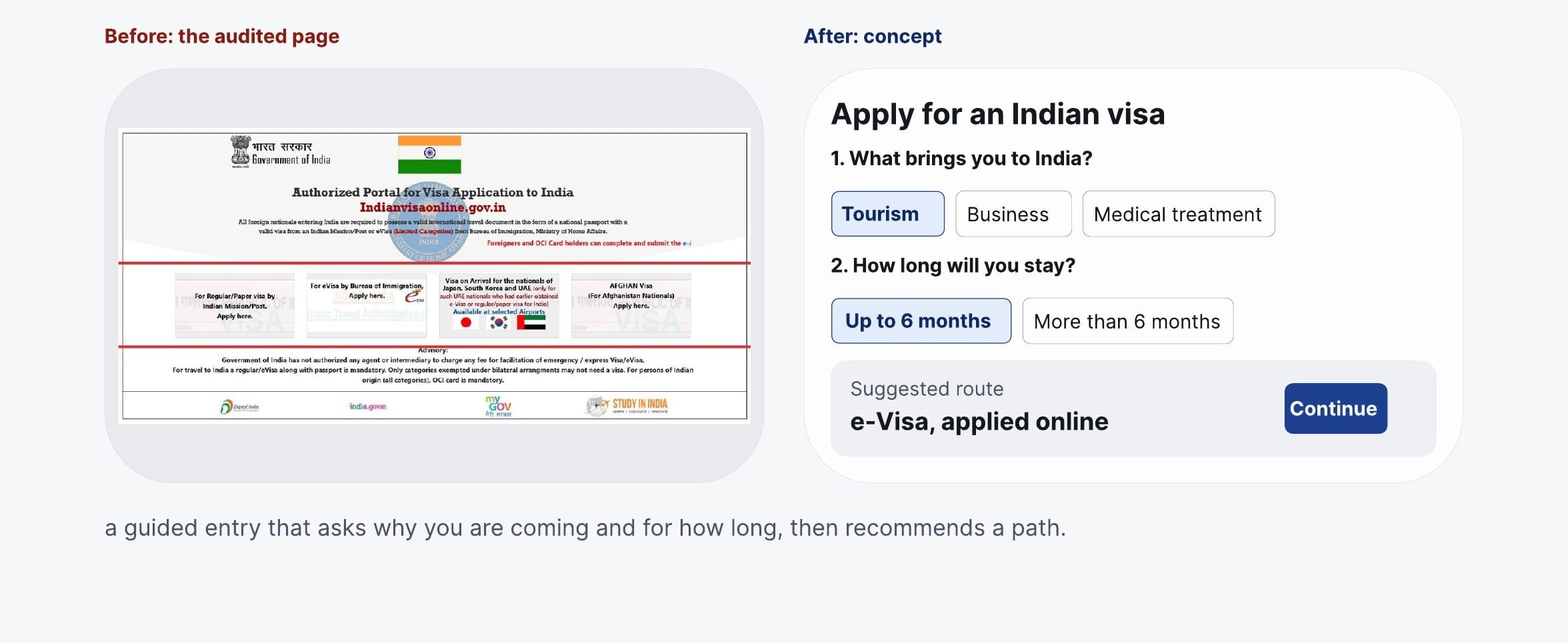
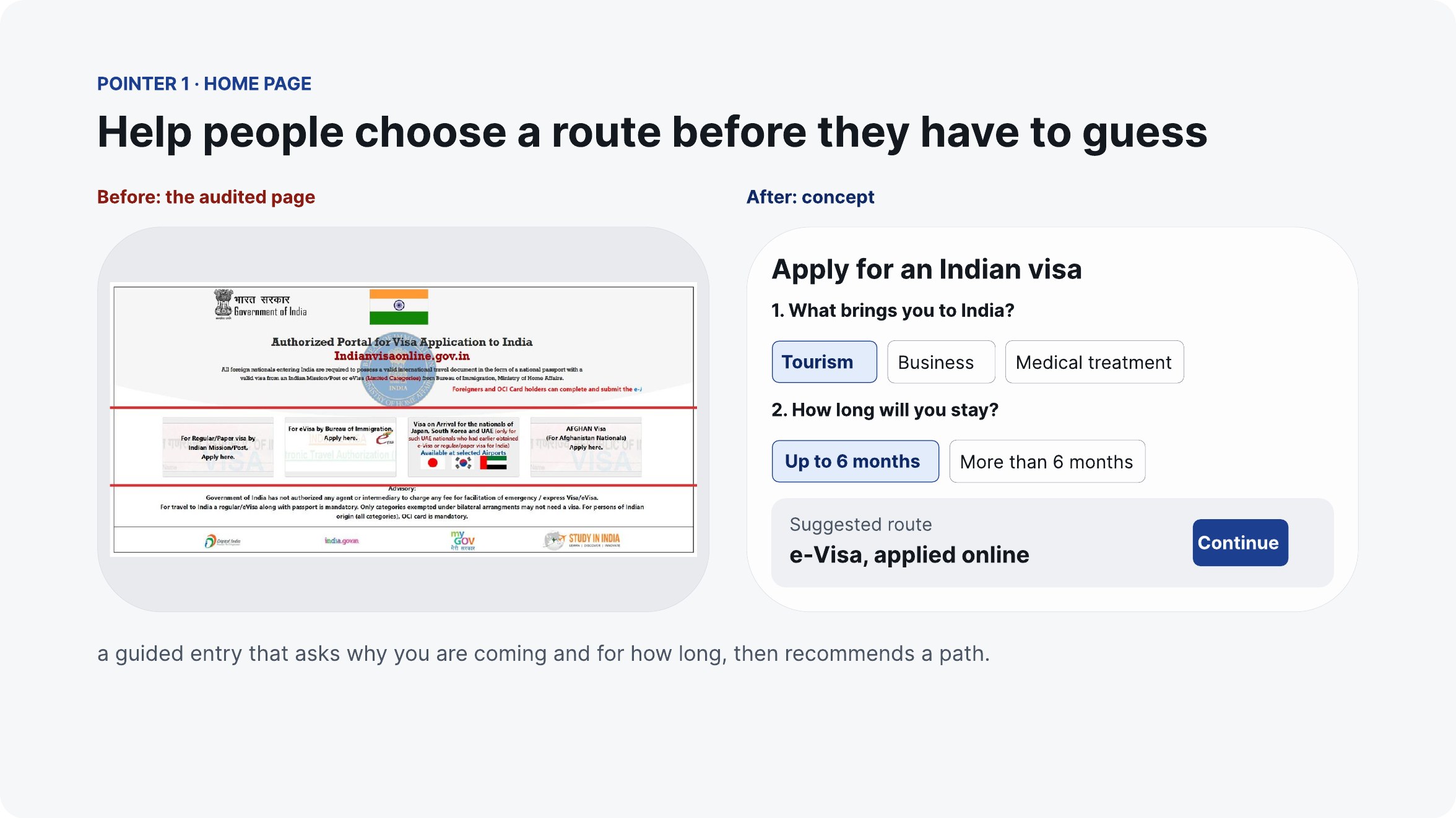
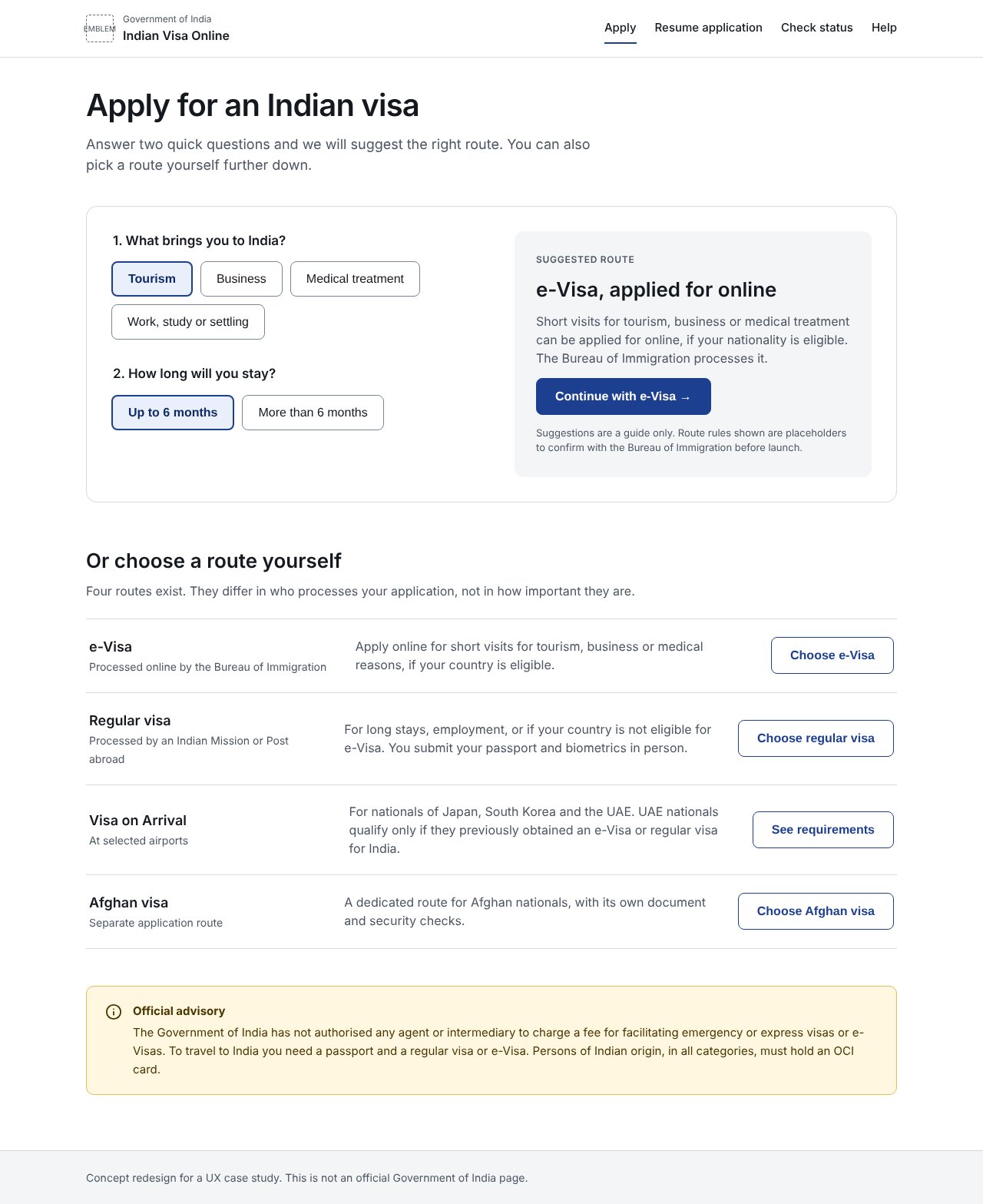
A guided entry: "Why are you coming? How long?" leading to a recommended path.
Help people choose a route before they have to guess.
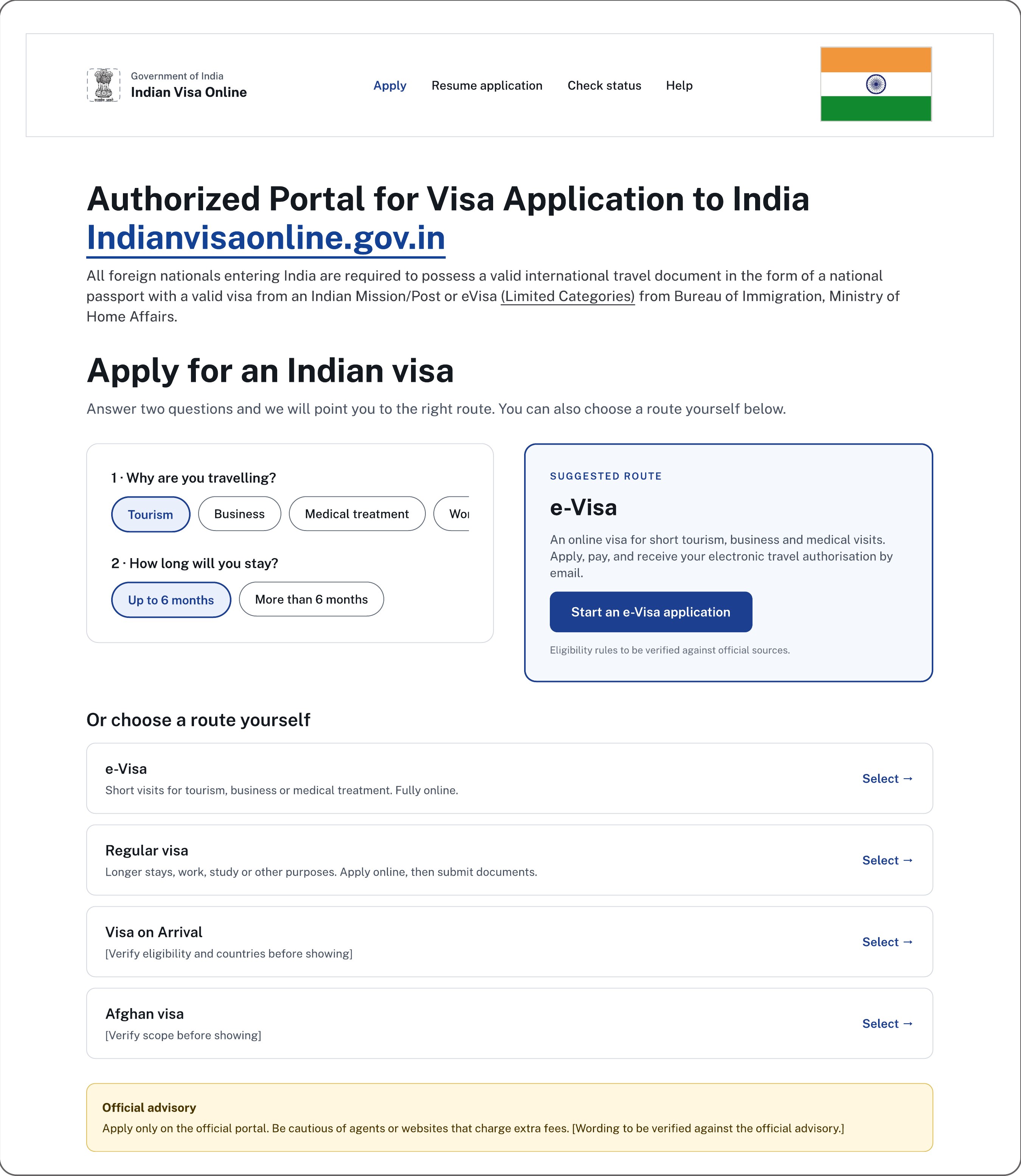
The home page is too cluttered for a visitor to know where to go. Instead of navigating through multiple funnels, the website directly asks users what they need and guides them to where to go next: a guided entry that asks why you are coming and for how long, then recommends a path.
The CTA is clearer, while the signs, emblem, and the information explaining what the portal is and what it is for have been kept unchanged.
Even after choosing right, the "Apply" button leads to a page of rules.
Step 2 of the same trip: clicking the e-Tourist Visa CTA opens an instruction page, not the form. You have to scroll to find the actual application.
The Apply CTA opens an instruction page, not the form; you have to scroll to find the actual application.
The user thinks they clicked "apply" but gets hit with dense rules they are not ready to read. That is friction.
Medium
Unclutter the information architecture.
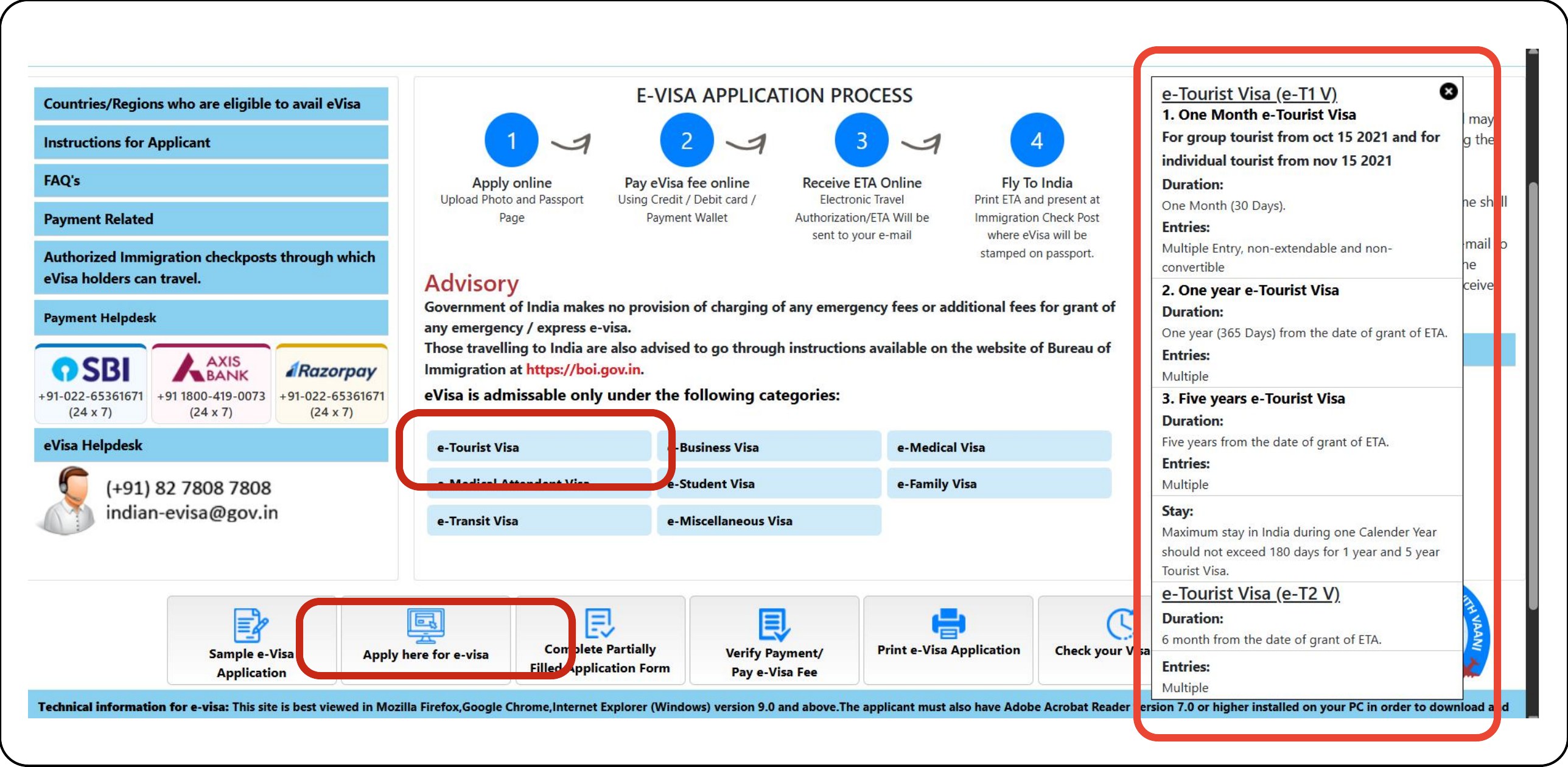
It is mandatory for the user to know the instructions before applying for a tourist visa. But users usually scan rather than read, so by default they click the blue e-Tourist Visa button. That is an expectation mismatch, and the information architecture of this screen can be better.
Declutter and structure the e-Visa screen the way the home page was, then carry the same calm through the whole application.
The same principle that reshaped the home page runs through the rest of the flow: show the next decision first, and keep the rules close but out of the way. I designed the screens that follow the home page and made them clickable. Use "Open the clickable prototype" at the top of this page to try them: pick a route, choose a visa type and watch what it means, mistype an email, or test a photo against the rules.
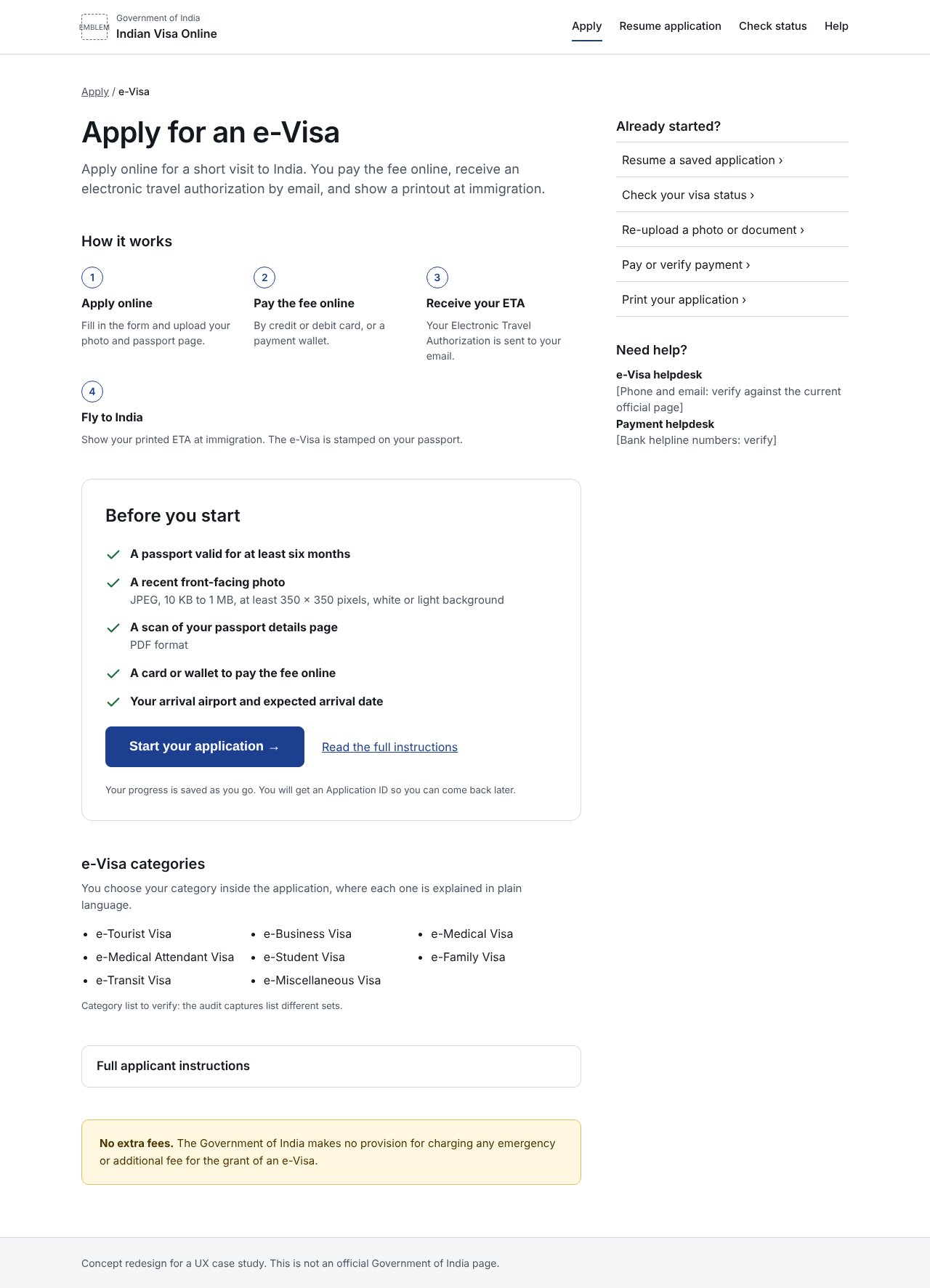
The Apply button now opens the way in, not a wall of rules.
This answers the second wall. The e-Visa page puts how it works and what to have ready first, with one obvious button to start. The full instructions stay available, folded away, and the official advisory stays visible.
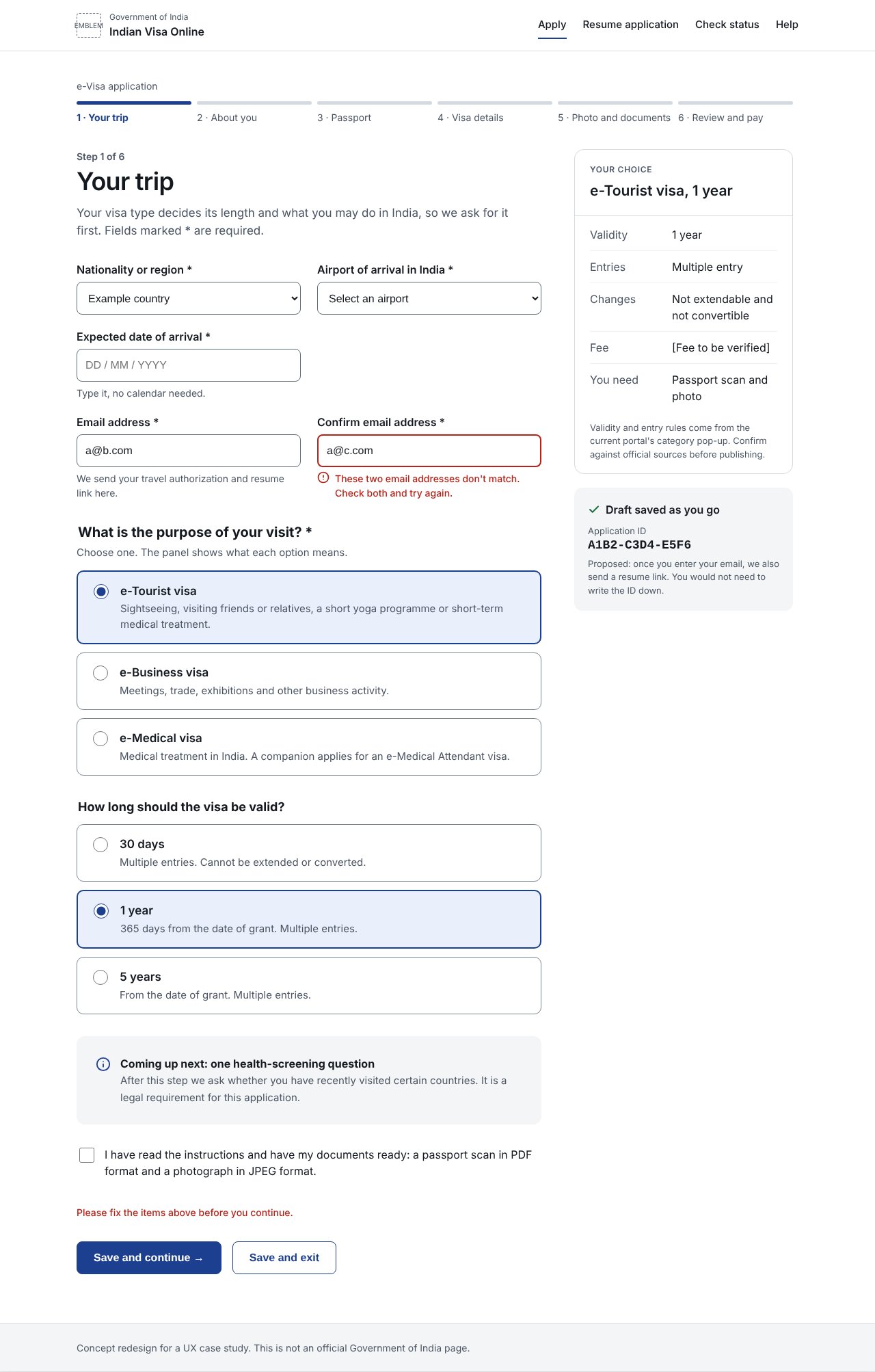
Pick a visa type and see what it means before you commit.
Visa type is asked first, because it decides validity and what you may do in India. A side panel updates as you choose, and a mismatched email is caught right where it happens, with a message that says what to do.
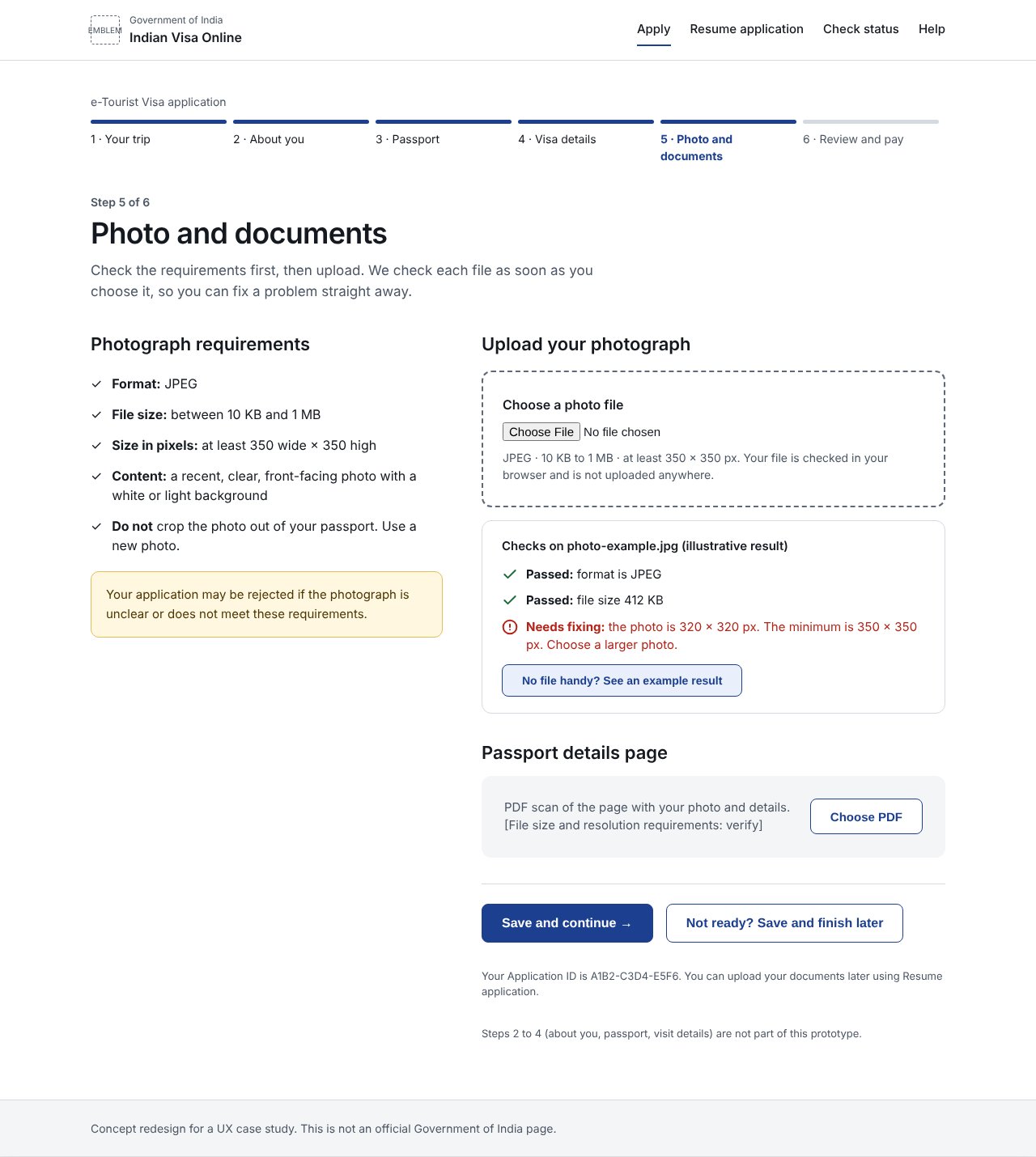
Know the photo rules first, and find out about a problem straight away.
Photograph requirements sit beside the upload, and each file is checked as soon as it is chosen. In the prototype, choose your own image to see a real check of its format, size and pixels.
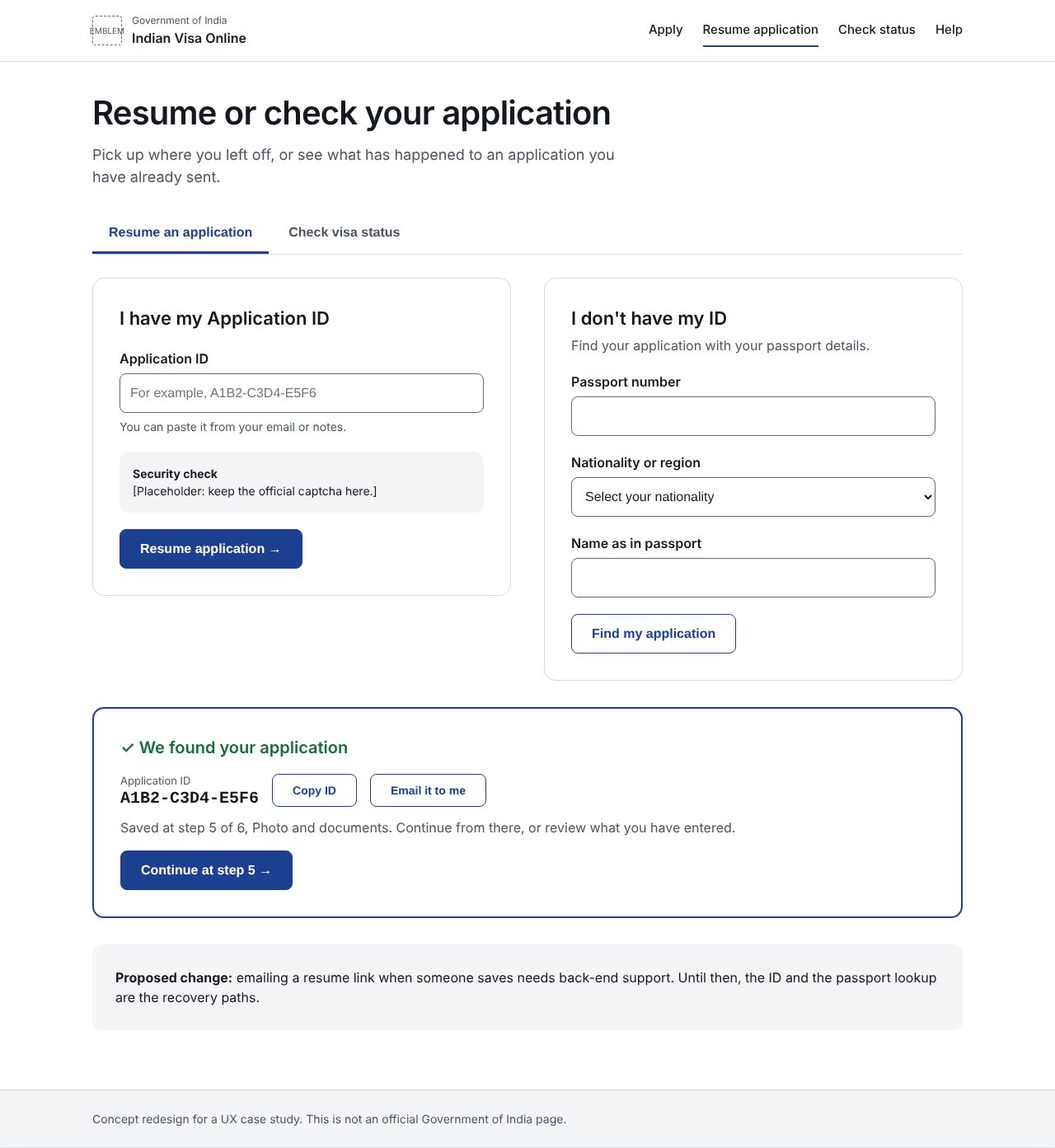
Saved work can be found again, even without the ID.
People leave halfway and return later. Resume and status now share one page, with a lookup by passport details for anyone who lost their Application ID, and a status that shows where the application stands.
All eligibility rules, fees, helpline numbers and instruction text in these screens are placeholders marked for verification against official sources. This is a concept for a case study, not an official design.